Veteran Travel Reimbursement
Bringing Veterans the ability to digitally request travel reimbursement from the Department of Veteran Affairs
Overview
As part of receiving healthcare from the Department of Veteran Affairs (VA), some Veterans are eligible to receive reimbursement to and from their healthcare appointments. VA.gov and the VA mobile app allowed Veterans to submit claims for their mileage, but did not have the functionality to allow Veterans to upload receipts for tolls, parking, or other expenses. Instead, VA directed users to the Beneficiary Travel Self Service System (BTSSS) to request these reimbursements. VA wanted to bring the travel reimbursement functionality from BTSSS to their own website, VA.gov.
I worked with another designer in a cross-functional team to research, design, and test the travel reimbursement process on VA.gov. Over the course of 9 months, we worked iteratively in an agile fashion to first release functionality to allow Veterans to submit receipts for reimbursement for VA appointments (“complex claims”), and later to allow Veterans to upload a proof of attendance and request reimbursement for appointments outside of the VA network.
Phase 1: Allow users to submit receipts for VA appointments
Planning
My co-designer and I knew that we shouldn’t replicate the exact experience of filing for travel pay on BTSSS. A report from 18F found that “BTSSS contains superfluous screens, small text, confusing instructions, and un-intuitive interface design” and “Information is poorly presented with very little hierarchy.” We wanted to build the functionality into the existing VA.gov information architecture, using standard VA design patterns and components, match Veteran’s existing mental models around travel reimbursement, and address other pain points about the UI and UX of requesting reimbursement. We also wanted to follow VA’s mobile-first approach, but also consider how the experience might change for users on their desktop, who cannot take photos of their receipts from their computer.
Research
We worked with a former designer on the project to run a concept test to understand users’ mental model around travel pay. We wanted to know if users focused first on the trip information (e.g. the date of the appointment, starting and ending address, etc) or the expenses they wanted to be reimbursed for?
For this research, we used a low-fidelity prototype crafted by our former designer to understand users’ mental model about travel reimbursement. In Version A, users were presented with their trip information early in the flow, and uploaded their receipts and claimed those expenses all at once. In Version B, users selected the type of expense for which they wanted to upload receipts, and confirmed their trip information later in the flow. Below are some images of the prototype a colleague created and I tested with another colleague.
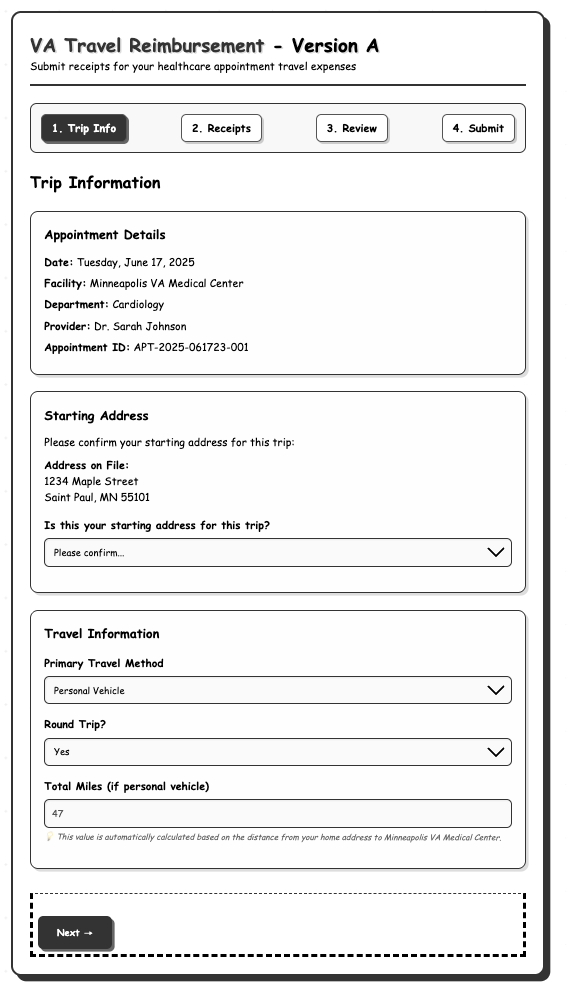
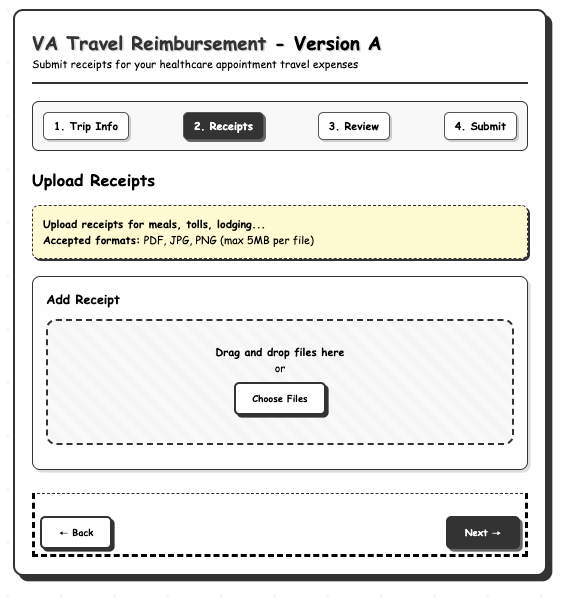
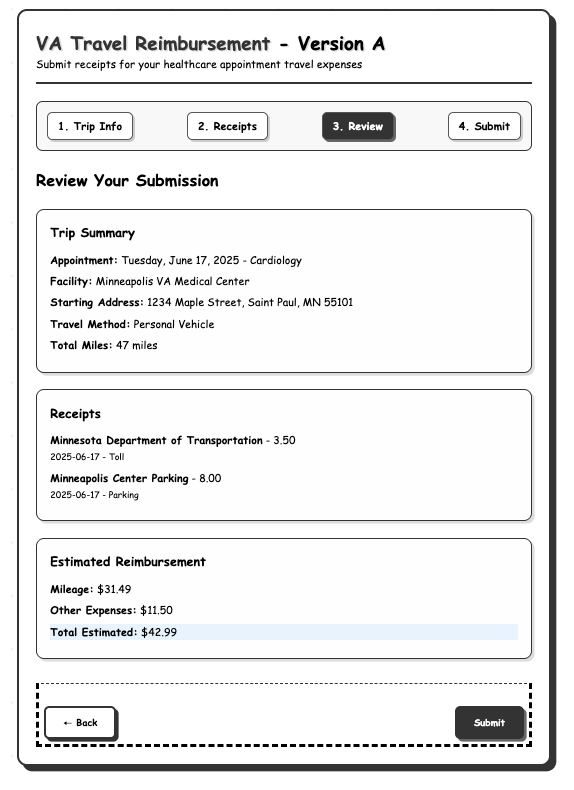
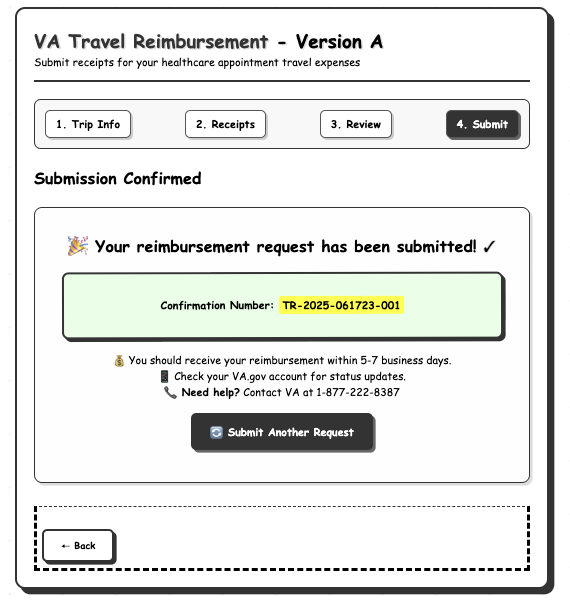
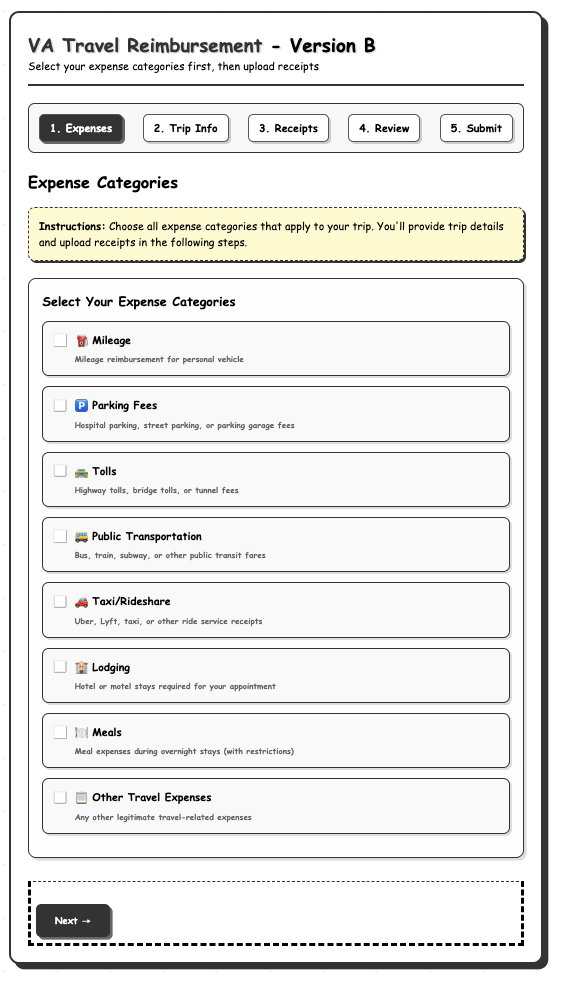
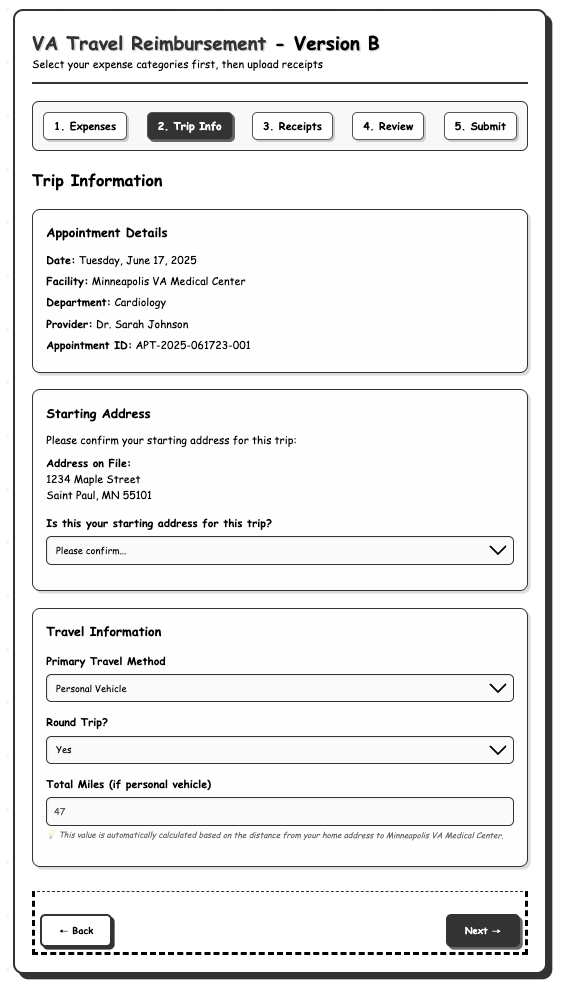
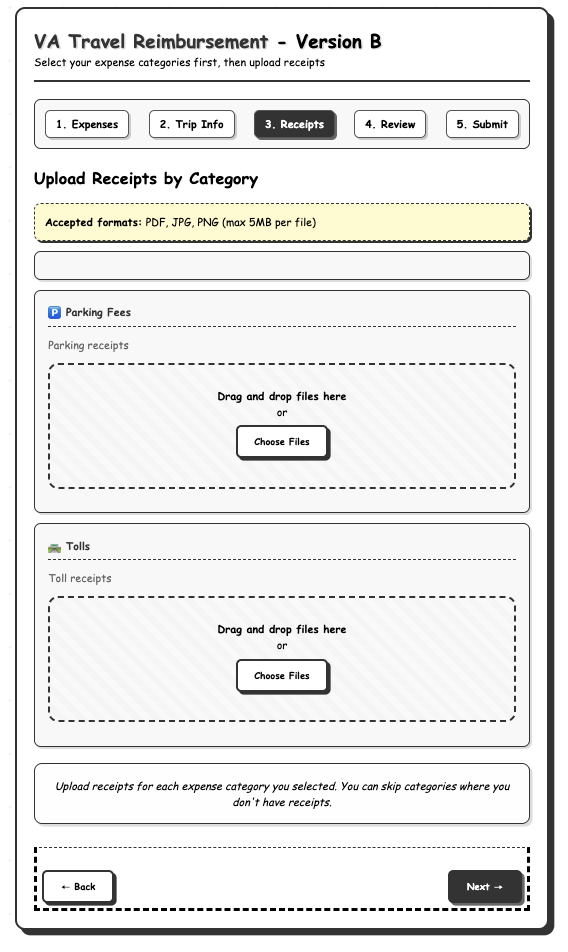
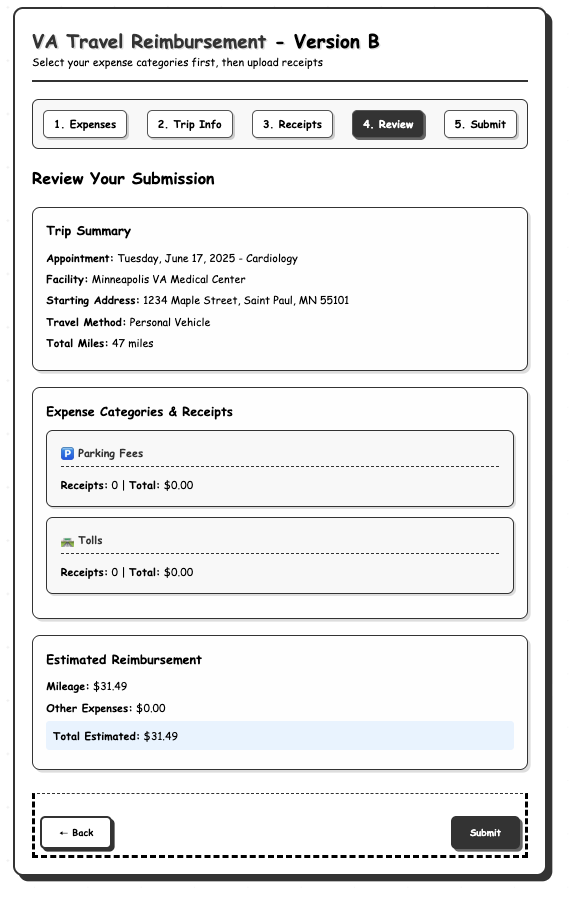
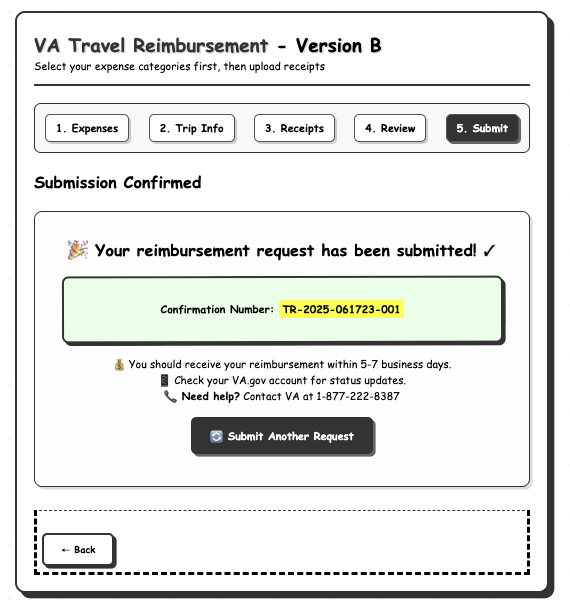
Our testing found that most participants preferred Version B, because the list of expense types prompted them about which types of expenses they could request reimbursement for. The timing of when we confirmed trip information was not as important for them as enumerating their expenses.
"I liked the idea where I was able to take, like, vehicle, toll, and parking. So, when I went here to look at my review, it reminded me of those 3 things that I had submitted for my reimbursement." - Participant 7
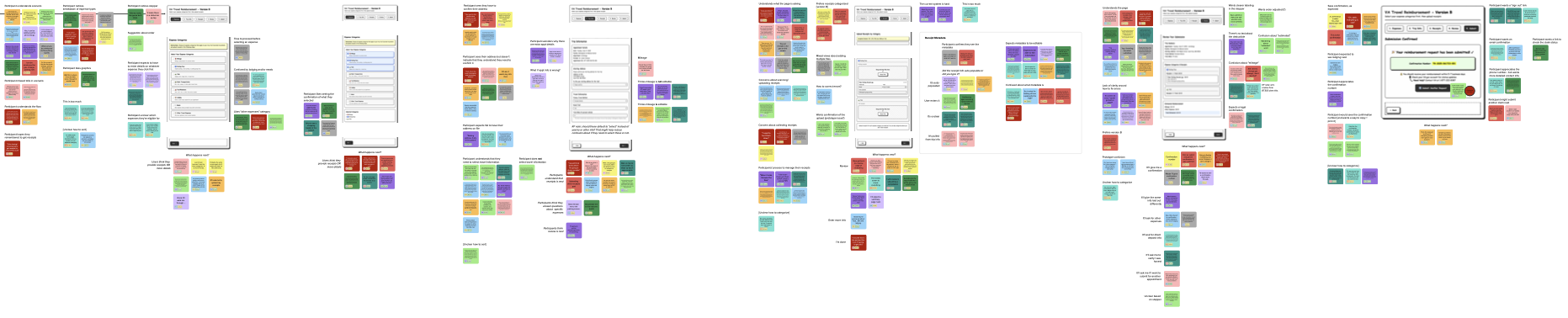
A portion of our synthesis board, analyzing user feedback on Version B.
Design
With this information, we leveraged the VA Design System to create high-fidelity designs. We worked closely with engineers and product managers to ensure that our designs were feasible to implement within the contract timeframe.
Key screens of the travel pay experience, including annotations.
Some of the edge cases were challenging to design. For example, a Veteran is allowed to request reimbursement for an appointment that happened at any time. However, most requests for appointments older than 30 days are denied. We worked closely with VA business partners and content specialists to identify how and where we could warn users that requests over this time frame are permissible, but not likely to be successful.
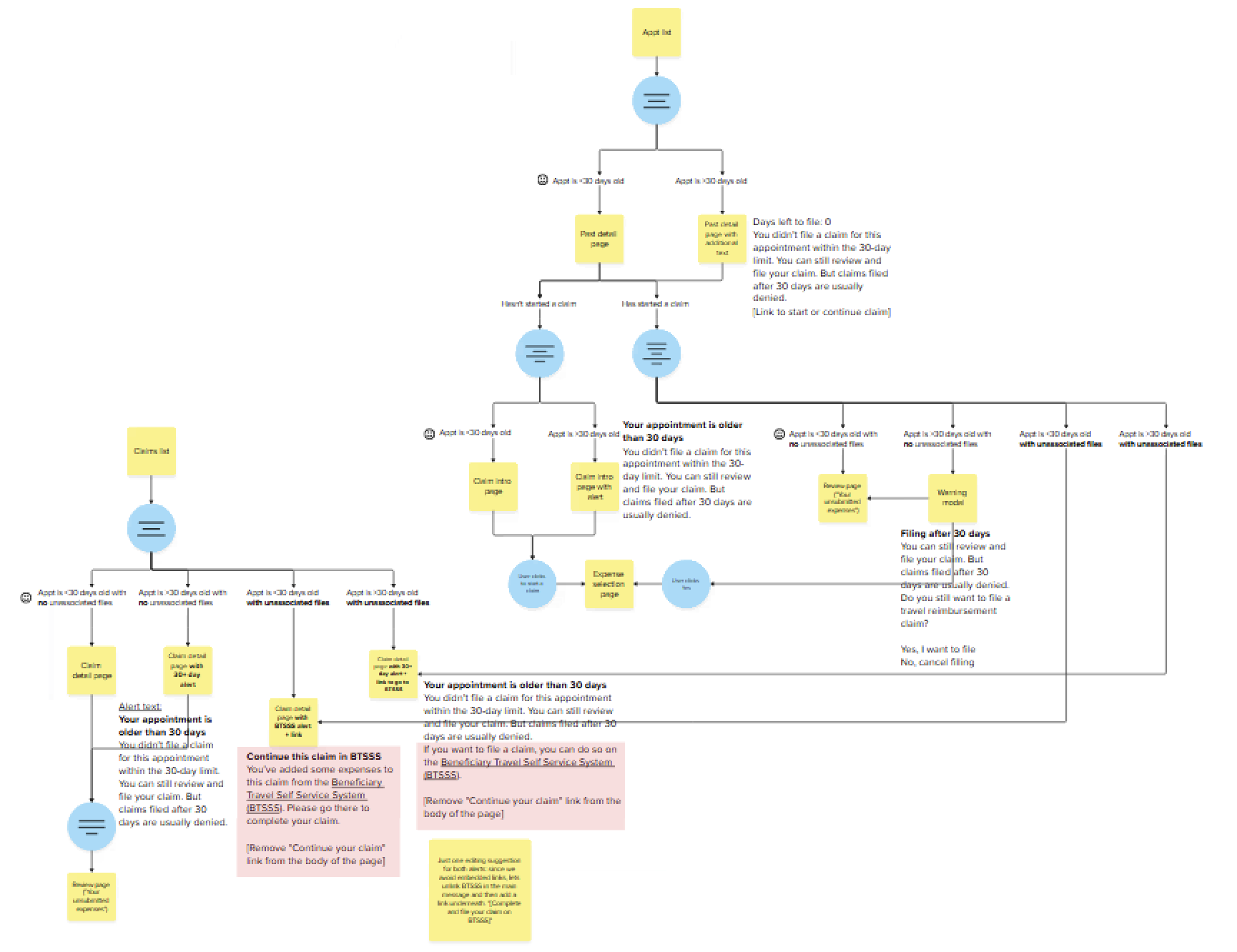
A diagram articulating the pages and modal windows the user would see depending on if they requested reimbursement for an appointment within 30 days.
Testing
Before launching the feature, we wanted to run User Acceptance Testing (UAT) to identify any bugs or usability issues that might have been missed in our earlier rounds of testing. We ran moderated studies with 8 Veterans on the VA.gov staging site, asking users to request reimbursement for a recent VA appointment.
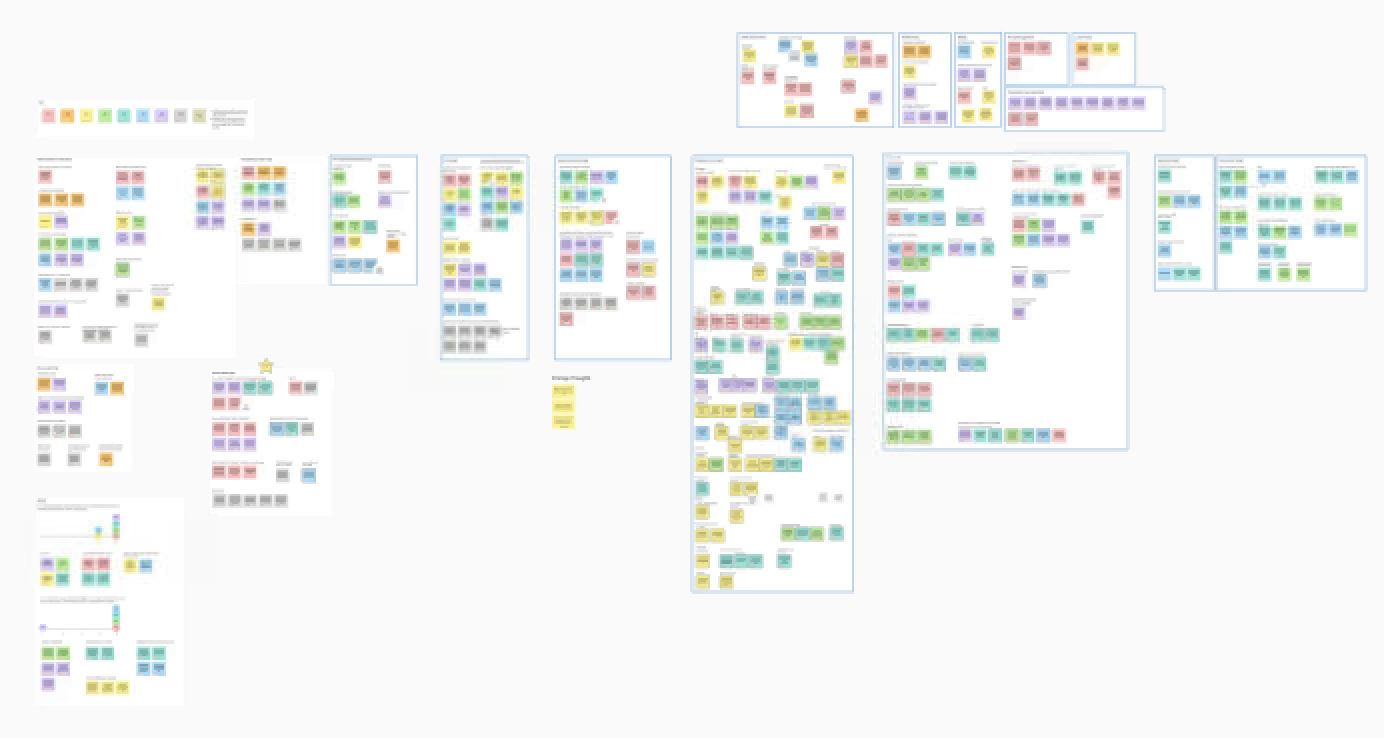
An image of our synthesis board, which we created to pull findings from our UAT.
Happily, we found no major issues that prevented users from submitting a reimbursement request. However, there were some smaller usability issues that we identified and worked to improve before launch. For example, users wanted the “Description” field to offer more guidance on what they should enter.
“Description. What am I putting there? I need more elaboration on that, though. What do they want us to put in regards to that?” - Participant 5
“The description’s a little vague, in my opinion [...] Because it seems like it’s doing, like, it’s asking, why did you choose this public transportation? It’s kind of the same thing as maybe the description? I don’t know, does it need to be both, you know what I’m saying?” - Participant 8
Results
After making several adjustments, we launched the feature in February 2026. Veterans could now request reimbursement for tolls, parking receipts, meals, and other costs they incurred in their travels to VA healthcare.
Phase 2: Allow users to request reimbursement for appointments outside the VA network
Planning
Veterans sometimes need to attend appointments outside of VA health facilities. These appointments, which are approved by VA but take place at clinics in their community, are called “community care” appointments.
Because outside providers don’t always communicate directly with VA, VA is not always aware of the exact date, time, or location of community care appointments. VA relies on the Veteran to inform VA of the appointment and provide proof that they attended (such as a work or school release note from the provider). VA can then reimburse the Veteran for their expense traveling to and from the appointment. This adds substantial complexity to the user experience, and required careful consideration and user testing.
Design
We built on the existing functionality that we had recently launched, adding pages to add appointment information and upload proof of attendance, shown below.
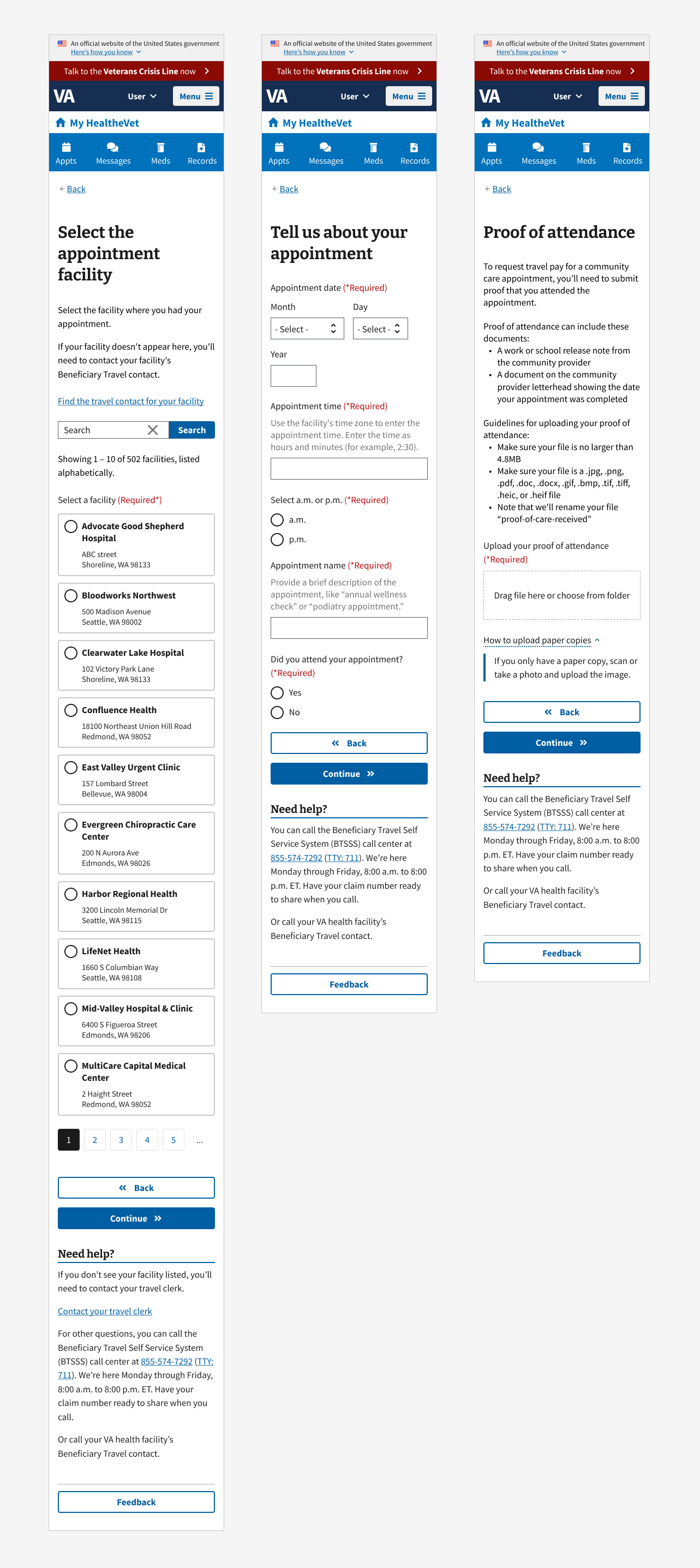
However, because the user could not initiate the reimbursement process from an existing appointment, we needed to understand where in VA.gov users would expect to start the process.
Testing
We ran an ambitious user study—the most involved that I’ve run at VA—to determine:
Where in VA.gov do Veterans expect to start the process of requesting a reimbursement for a community care appointment?
Can Veterans successfully work with the designs we created to enter their appointment information, upload proof of attendance, and enter their expenses?
Do Veterans expect VA to inform them if they enter information about an appointment for which they’ve already filed a claim? (Might remove this)
We considered running a tree test to determine how users might navigate to start a reimbursement request, but determined that a moderated usability test with a clickable prototype, where users would have the full content and visual clues on each page, would better inform us of not only where users were clicking, but why.
The study revealed that most participants expected to be able to start their reimbursement request from the Past Appointments page (thereby answering one of our research questions). However, once on the page, many users struggled to find the link to initiate that process. Many users clicked near the top of the page before eventually finding the correct link at the bottom of the page.
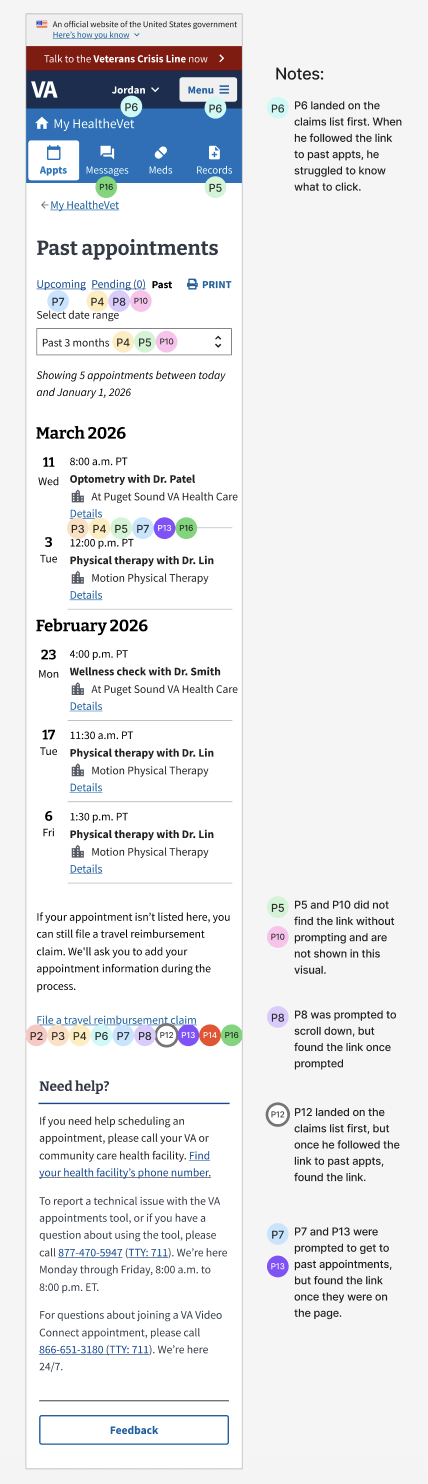
This image shows where participants clicked on the page in hopes of starting the reimbursement process. Both correct and incorrect clicks are shown in the image.
Once users found the link or were prompted on where to click, users were largely able to navigate through the flow.
This led us to re-design the entry point on the Past Appointments page. We explored several design options and ultimately landed on one that positioned the entry point where test participants were looking for it, but didn’t visually overpower other elements on the page, which are important for other tasks users arrive on this page to accomplish.
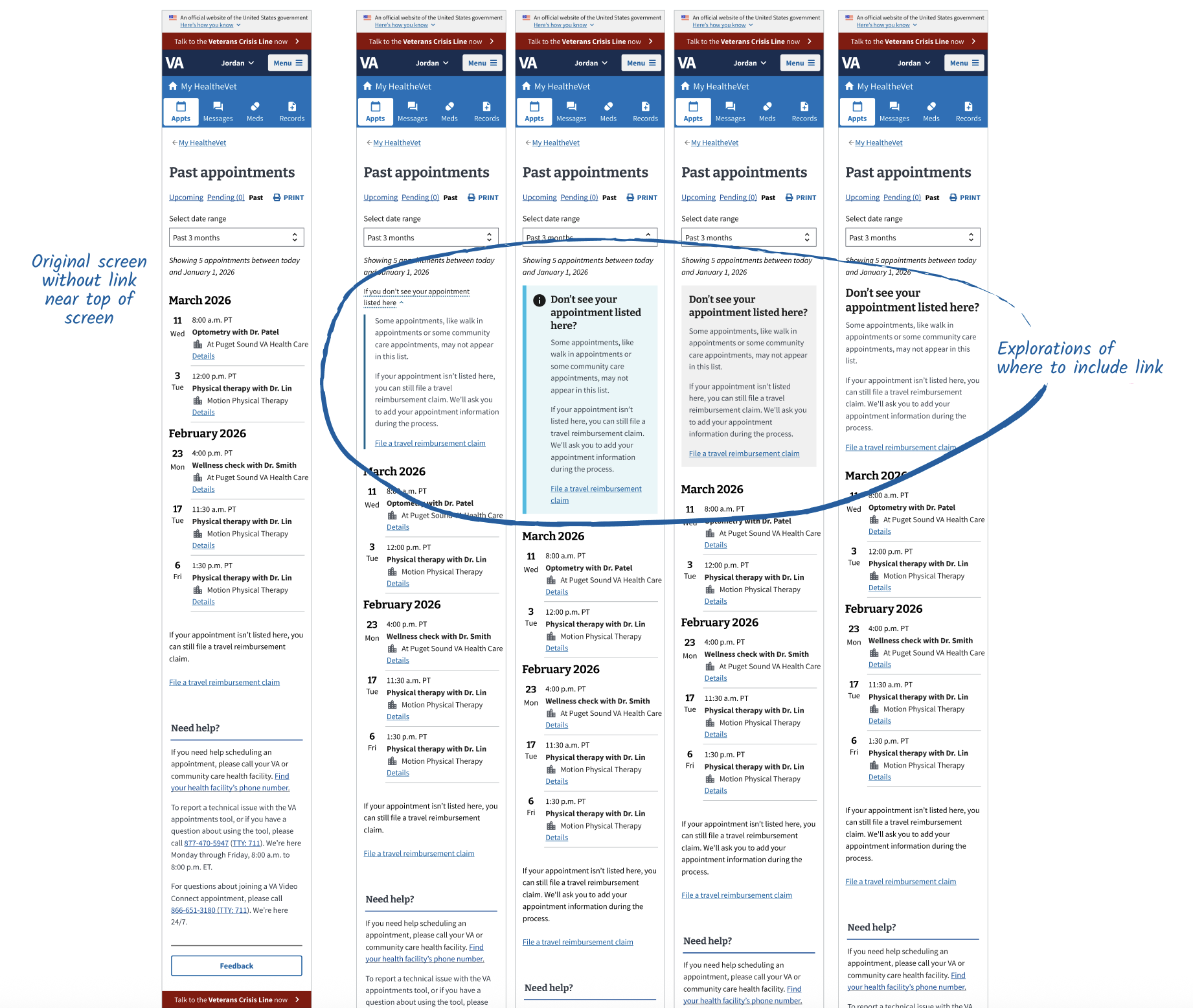
Results and Learning
In June 2026, we launched the new designs, allowing users to request reimbursement for community care appointments. As before the launch, we have monitored user feedback about the tool.
However, we also identified a new pain point. (??) The final page of the request flow includes a confirmation page, where we explain that users can expect to see a deductible taken from their reimbursement. There has been a deductible since Congress mandated travel reimbursement in 1978. However, VA did not previously include language about the deductible on this confirmation page. Through the site feedback button, Veterans were expressing confusion and frustration about this deductible, which they assumed was new. Our next step is to refine this language to clarify that it has always been in place, and provide resources for Veterans to learn more about how this deductible impacts them and how eligible Veterans can apply to have the deductible waived.
All things considered, I’m proud to have helped launch this feature on VA.gov. My hope is that VA will continue to test and improve it as they work to bring over additional functionality.